Setting up deep learning on an Arch-based distro is like choosing to run a marathon uphill… barefoot. But hey, who said we were here for the easy route? Whether you’re a die-hard Arch fan or just love the thrill of a challenge, this guide will walk you through installing a full AI development environment. Spoiler: It’s not as scary as it sounds—unless, of course, you miss a step. Let’s get started
Installation
Install cuda and nvidia packages with pacman
sudo pacman -S cuda cudnn nvidia-dkms nvidia-utilsReboot your device reboot
Run the deviceQuery script
git clone https://github.com/NVIDIA/cuda-samples.git
cd cuda-samples/Samples/1_Utilities/deviceQuery
make
./deviceQuery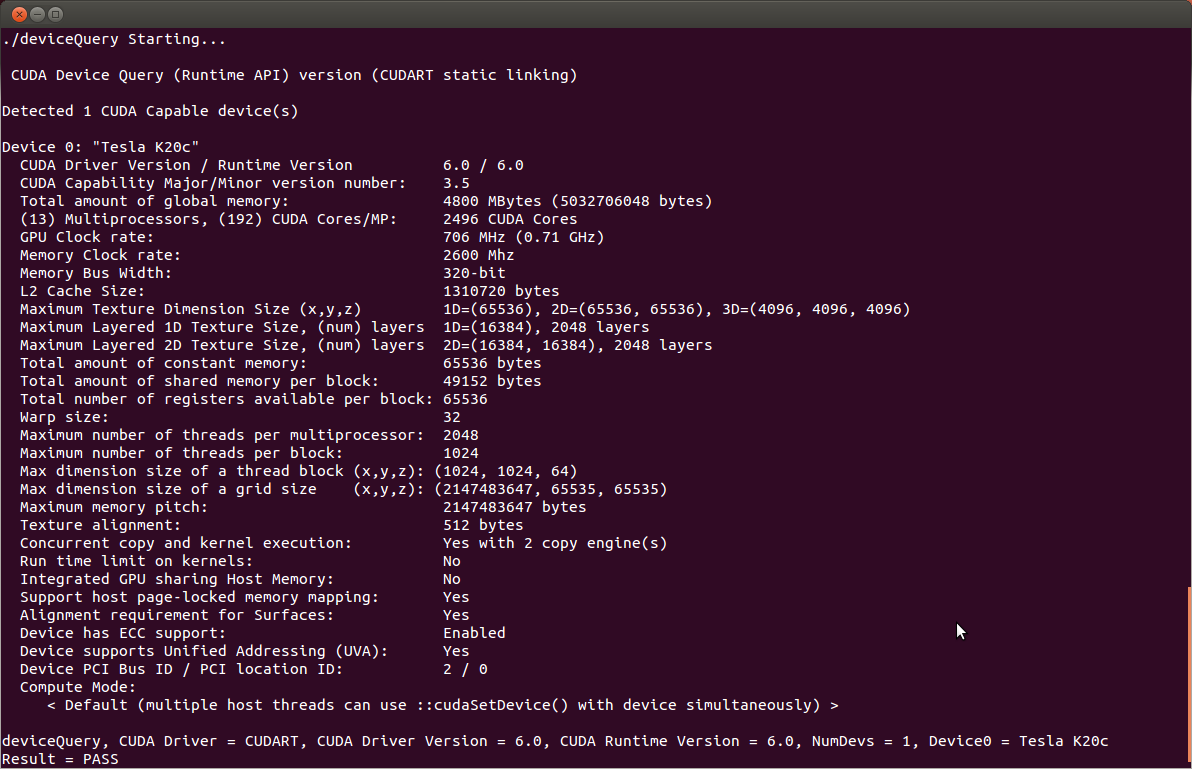 Figure:
 deviceQuery output (Source)
And just like that, you’re all set… well, at least for CUDA.
Install python-tensorflow-opt-cuda
sudo pacman -S python-tensorflow-opt-cudaNow, let’s see if TensorFlow is smart enough to actually use your GPU. Spoiler: it better be.
python

from tensorflow.python.client import device_lib
print(device_lib.list_local_devices())
Expect something along the lines of this… unless, of course, the tech gods have other plans.
I0000 00:00:1729602105.640182    4530 gpu_device.cc:2022] Created device /device:GPU:0 with 4168 MB memory:  -> device: 0, name: NVIDIA GeForce RTX 3060 Laptop GPU, pci bus id: 0000:01:00.0, compute capability: 8.6
[name: "/device:CPU:0"
device_type: "CPU"
memory_limit: 268435456
locality {
}
incarnation: 13700164101737687728
xla_global_id: -1
, name: "/device:GPU:0"
device_type: "GPU"
memory_limit: 4370595840
locality {
  bus_id: 1
  links {
  }
}
incarnation: 4529659632096840357
physical_device_desc: "device: 0, name: NVIDIA GeForce RTX 3060 Laptop GPU, pci bus id: 0000:01:00.0, compute capability: 8.6"
xla_global_id: 416903419
]
Install keras here
git clone https://github.com/fchollet/keras
cd keras
sudo python setup.py install
After countless attempts and a few existential crises, NVIDIA and TensorFlow still aren’t playing nice on Arch. Errors everywhere—just another day in paradise.
/usr/include/c++/14.1.1/bits/stl_vector.h:1130: constexpr std::vector<_Tp, _Alloc>::reference std::vector<_Tp, _Alloc>::operator[](size_type) [with _Tp = pybind11::object; _Alloc = std::allocator<pybind11::object>; reference = pybind11::object&; size_type = long unsigned int]: Assertion '__n < this->size()' failed.Honestly, you’d be better off using platforms like Google Colab, AWS, or Azure for your machine learning and AI work. They’re faster, more efficient, and won’t make you lose your mind.
References
GPGPU - ArchWiki https://wiki.archlinux.org/title/GPGPU#CUDA[ https://jaggu-iitm.medium.com/setting-up-deep-learning-with-cuda-tensorflow-and-keras-on-arch-linux-with-dual-gpu-nvidia-gpu-82963d2ecb75
